Wireless Reverse Charging
- 4.5
- Rating
- 50.00K
- Installs
- Free
- Price
 Analysis by App-foxy
Wireless power sharing sounds like the sort of feature you only notice when another phone is almost empty, yet it can be surprisingly useful when the right devices are involved. Reverse Charging Wireless, developed by Shadow soft, is a free Android utility built around that simple idea: helping a compatible phone provide power wirelessly to another device. I approached it as a practical tool rather than a magic battery booster, and that distinction matters. The app can make reverse charging easier to understand and use, but the phone itself still needs the necessary hardware and system support.
My first impression is that this belongs in the “keep it available for emergencies” category rather than the “open it every day” category. It is listed under Libraries & Demo, carries an Everyone age rating, and has reached over fifty thousand installs with an average rating of 4.5 from around one thousand ratings. Those figures suggest that the concept is attracting real interest, but they do not change the basic rule: an application cannot add a wireless coil or reverse-charging capability to a phone that was never designed for it.
How I use it in a normal charging situation
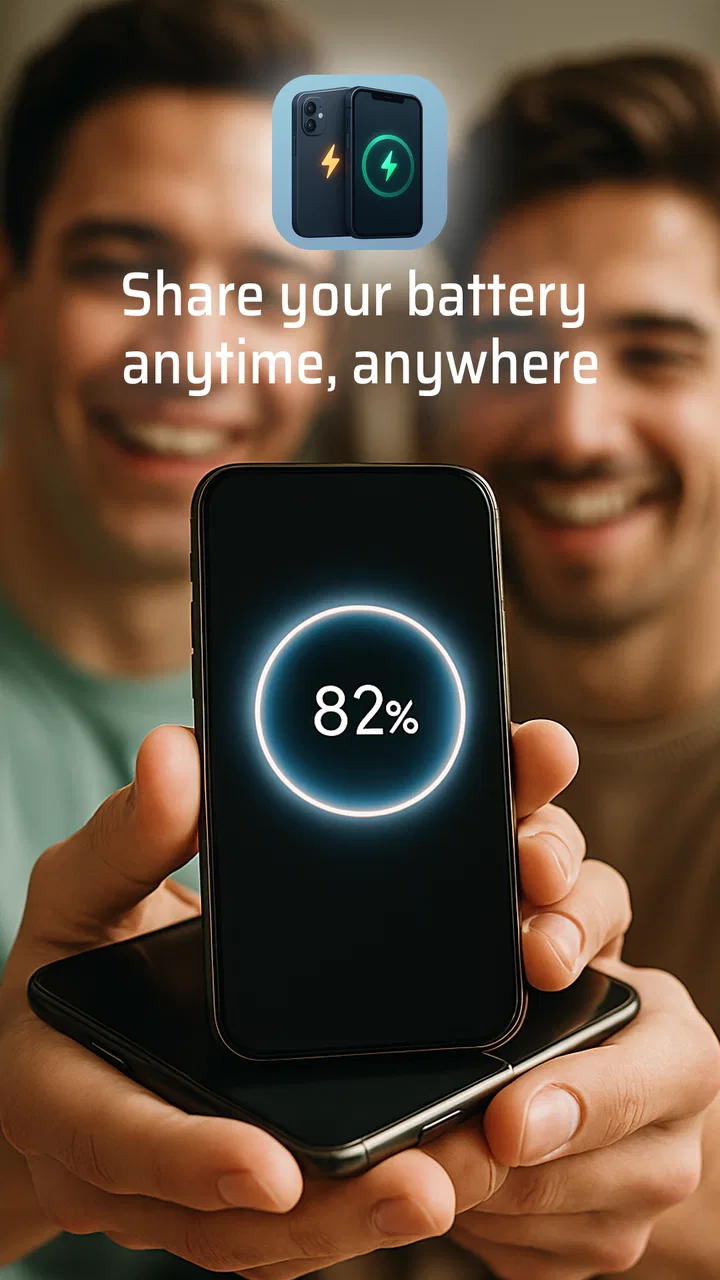
The most sensible baseline workflow is straightforward. I open the application on a phone that may support reverse wireless charging, check that the phone has enough battery to share, place the receiving device carefully on its back, and watch for the charging response. Alignment is more important than many people expect. A wireless charging coil is not a broad invisible blanket; a small shift can interrupt the connection, especially when either phone has a thick case, a camera bump, or a textured back.
You May Also Like

 Blood Strike: 2.5 Anniversary
Blood Strike’s Loadouts Turn Every Drop Into a Tactical Gamble
A close look at Blood Strike’s custom loadouts: how fast access to signature weapons reshapes its battle royale rhythm, rewards preparation, and narrows the gap between fights.

 Pandora - Music & Podcasts
Pandora’s Music Is Easy to Start, but Harder to Recover
Pandora’s strength is its low-effort path from a seed to a station. Its weak spot is how much confidence it asks you to place in connection, setup, and quiet recovery.

 8 Ball Pool
 Is Built on Rivalries, Rematches, and Routine
A close look at the rivalries, rematches, shared routines, and unanswered safety questions that turn a quick pool match into a persistent mobile community.

 Samsung Music
’s Quiet Strength Is Playing What You Already Own
Its reach comes less from spectacle than from dependable access to a personal library. That simplicity is both the app’s strongest retention engine and its ceiling.

 AccuWeather: Weather Radar
AccuWeather Review: A Quick, Clear Forecast for Everyday Decisions
For everyday plans, the best forecast is the one you can understand quickly. AccuWeather makes rain timing, radar, and local conditions easy to act on, with a few trade-offs.

 Hill Climb Racing
Why Hill Climb Racing Still Turns Crashes Into One More Run
A tiny car, a bumpy hill and one more upgrade: Hill Climb Racing keeps resurfacing because its simple chaos makes every near-miss feel personal.
More From Our News Desk
View All News


I would not begin by treating the app as a replacement for a charger. I see it as a control point and a practical reminder to test whether the host phone can perform the job. The actual experience depends on the hardware, the operating system, battery temperature, and the receiving device. If the second phone does not react, moving it slowly across the back of the host is a better first step than repeatedly tapping the screen.
A realistic use case is travelling with a friend when one phone has enough power to navigate but the other is nearly empty. Instead of searching immediately for a wall socket, I would use the stronger phone as a temporary wireless source while both people remain nearby. This is especially handy for restoring enough charge to send messages, make a call, or finish a journey. It is less suitable when someone needs a large amount of energy quickly, because wireless sharing is generally a convenience method, not the fastest recovery option.
There is also a useful habit here: start sharing before the receiving phone becomes completely depleted. A phone that still has some battery is easier to monitor, and the owner can stop the process before the host loses too much power. I would agree on a practical stopping point in advance, particularly if the host phone is also needed for directions, tickets, authentication, or emergency contact.
What the app can and cannot solve
The central trade-off is easy to misunderstand. Reverse Charging Wireless can help expose or organize a reverse-charging workflow, but it cannot turn an ordinary phone into a wireless power bank through software alone. The source phone must support wireless power output, and the receiving device must be able to accept wireless charging. Some phones support wireless charging only as receivers, while others support both receiving and sharing. That hardware distinction is the first thing I would check before blaming the application.
This is also why results can differ between two apparently similar phones. Manufacturer software may limit reverse charging, stop it when the battery is low, or pause it when the device becomes warm. A case can create another failure point. Metal accessories, magnetic attachments, or a poorly centered phone may interfere with the transfer. In practice, removing a bulky case and placing the devices back-to-back on a stable surface can be more effective than changing settings.
I appreciate that the app’s purpose is narrow. It does not need to become a general battery dashboard to be useful. At the same time, that narrow purpose means it will feel disappointing to anyone expecting software to unlock unsupported hardware. The most important compatibility check happens before installation: confirm that the phone itself supports reverse wireless charging.
Settings and preparation that make the experience smoother
Before starting a session, I would check the phone’s normal battery and power settings rather than assuming the app controls every part of the process. Battery saver modes, thermal protection, or manufacturer restrictions may affect how long sharing remains active. The exact menus vary by device, so I would look for terms such as wireless power sharing, reverse charging, battery sharing, or similar wording in the system settings.
Screen brightness is another small but useful adjustment. If I am only using the phone as a temporary power source, lowering brightness and closing demanding applications leaves more energy available for the task. Navigation, video playback, gaming, and camera use can compete with the transfer and raise heat. This is not a special feature of the app; it is a repeatable habit that makes the entire arrangement more reliable.
I also prefer to prepare the receiving phone first. Remove unnecessary accessories, close apps that are draining power, and place the phone where it will not slide. A desk or table is much better than a lap, car seat, or soft bed. Wireless charging needs physical contact and stable alignment, so a tidy setup prevents the common cycle of charging, disconnecting, and repositioning.
One non-obvious tip is to avoid judging success only by a sound or animation. I would check the receiving phone’s battery indicator after a short interval and make sure the percentage is actually moving. Notifications can be delayed, and some phones show a charging symbol briefly even when the connection is not stable. A real increase over time is the useful confirmation.
Faster patterns for repeat use
For occasional emergencies, I would create a simple repeatable routine: check the host battery, remove anything that interferes with the backs of the phones, place the receiving device centrally, verify the indicator, and leave both devices undisturbed. This takes less effort than repeatedly opening menus and guessing whether the phones are aligned. The application is most helpful when it becomes part of that routine rather than a button I press without checking the physical setup.
Experienced users can also separate the process into two stages. First, establish a stable connection with both phones idle. Second, use the receiving phone only for the essential task that needs power. If the goal is to send a location or make a call, there is little reason to keep a bright display and several background activities running during the transfer. This approach makes the limited energy exchange feel more worthwhile.
Another useful pattern is to use reverse charging as a bridge to a better solution. I might share power long enough for the other phone to become usable, then switch to a wall charger, car charger, or conventional wireless pad when one becomes available. That is preferable to leaving the host phone connected until its own battery becomes a problem. The app fits this short-term handoff role better than an all-day charging arrangement.
If I were helping a less technical friend, I would explain the physical placement rather than only telling them to “turn on reverse charging.” The two phones need compatible charging hardware, their backs must meet correctly, and the host must have enough remaining energy. That explanation prevents a lot of frustration and makes the application easier to use in a real situation.
Where the limits become obvious
The biggest limitation is speed. Wireless power sharing is convenient, but it is not the choice I would make for rapidly filling a large battery. Energy is lost during wireless transfer, and the host phone is giving up its own charge while also dealing with heat. If both phones are low, a cable or wall outlet is the more sensible option whenever possible.
Heat deserves attention because it affects comfort and reliability. Two phones pressed together can warm up, especially in direct sunlight, inside a vehicle, or while one of them is performing demanding work. I would stop the session if either device becomes unusually hot. Continuing just because the charging icon is visible is not a good trade-off for a short emergency boost.
Cases create another practical limit. A slim, non-metal case may work, but a thick protective case can reduce contact or prevent the coils from lining up. Wallet cases are particularly awkward because cards and extra layers change the distance between the devices. I would remove the case from at least the receiving phone when the connection seems intermittent.
The app is also not the right choice for every phone owner. If a device lacks reverse wireless charging hardware, the application cannot provide that capability. If someone needs predictable charging for work, travel, or overnight use, a cable and a certified charger remain better choices. Likewise, people who dislike testing compatibility or adjusting placement may prefer a small power bank, which is less elegant but usually more dependable.
Because the application was released on May 16, 2024 and is currently at version 17.0, I would keep expectations focused on its stated purpose rather than expecting a full charging-management suite. It supports phones running Android 7.0 or later, which gives it broad system compatibility in principle, but Android version alone does not guarantee the required charging hardware. The phone model and manufacturer implementation remain decisive.
Who will get the most value from it
I think Reverse Charging Wireless is best for people who already own a compatible phone and want a convenient way to use its reverse-charging capability when another device needs a small rescue. It makes sense for couples, families, commuters, and anyone who regularly carries more than one wireless device. It can also be useful during short trips when carrying a separate power bank feels unnecessary.
The app is less compelling for someone shopping for a primary charging solution. In that case, I would choose a reliable cable, a suitable wall adapter, or a power bank first. Those options are easier to understand, generally faster, and less dependent on precise phone-to-phone positioning. The application earns its place as a backup utility, not as a universal replacement for those accessories.
Its free price removes the main barrier to trying it, and the Everyone rating makes it approachable for ordinary household use. Still, free does not mean universally compatible. I would install it with a specific question in mind: can my phone provide wireless power to another device, and will this tool make that process easier? If the answer to the hardware part is no, there is no practical reason to keep it.
My verdict after building a reliable habit
Reverse Charging Wireless is a focused app with a useful emergency role. I like it most when I treat it as part of a disciplined workflow: verify compatibility, prepare both phones, align them carefully, reduce unnecessary battery use, and stop once the receiving device has enough power for its immediate need. That approach is more realistic than expecting a fast, effortless transfer.
Shadow soft has made a free utility for a very specific situation, and its value depends heavily on the phone it is installed on. The app cannot overcome hardware limits, heat, poor alignment, or the slower nature of wireless sharing. Those are meaningful constraints, but they do not cancel out the convenience when the conditions are right.
My recommendation is therefore selective. If your Android phone supports reverse wireless charging, I would try it and keep it available for travel, shared emergencies, and short power handoffs. If your priority is fast, dependable charging or your phone lacks the necessary hardware, choose a cable or power bank instead. Used with realistic expectations, this is a handy backup tool rather than a replacement for a proper charger.
FAQs for Wireless Reverse Charging
01What is Reverse Charging Wireless and how does it work?
Reverse Charging Wireless is a feature that allows your device to wirelessly charge other compatible devices. By enabling this feature, your phone acts as a charging pad. Simply place the device you want to charge on the back of your phone, and it will begin transferring power without the need for cables.
02Which devices are compatible with Reverse Charging Wireless?
Most smartphones and gadgets that support Qi wireless charging are compatible with Reverse Charging Wireless. It's important to check the specifications of your device to ensure it supports this feature. Some devices may require a software update to enable compatibility.
03Does Reverse Charging Wireless affect the battery life of my device?
Using Reverse Charging Wireless can slightly impact your device’s battery life due to the additional power consumption. However, modern devices are designed to handle this function efficiently, and the impact is generally minimal. It’s advisable to use this feature sparingly to preserve your phone’s battery health.
04How do I enable Reverse Charging Wireless on my phone?
To enable Reverse Charging Wireless, go to your phone’s settings and look for the battery or power management section. Here, you should find an option to activate reverse wireless charging. Once enabled, place the device you want to charge on the back of your phone to start charging.
05Is there a risk of overheating when using Reverse Charging Wireless?
There is a minimal risk of overheating when using Reverse Charging Wireless, as the process generates some heat. Most devices are equipped with safety features to prevent excessive heat buildup. It’s recommended to keep an eye on the temperature and avoid using this feature for extended periods.
Pros
- Convenient for sharing battery power.
- No cables needed for charging.
- Supports multiple device types.
- Easy to activate and use.
- Saves space by combining functions.
Cons
- Slower charging than wired methods.
- Consumes your device's battery quickly.
- Limited to certain compatible devices.
- Can cause device overheating.
- May not support all battery sizes.

Wireless Reverse Charging
Gallery